
Tradetron review: Here youAlgorithmic trading (Algo Trading) is becoming incredibly popular among Indian traders. It offers a smarter, stress-free, and time-saving way to participate in the stock market. guys know about “What is Tradetron? Complete Review, Features, Pricing, Pros & Cons” Many people want to trade in the stock market but do not have enough time to watch charts throughout the day because many people do job and work. This is where algo trading platforms come into the picture.One of the most popular no-code algo trading platforms in India is Tradetron. In this detailed review, we will explore what Tradetron is, how it works, its features, advantages, disadvantages, pricing, and whether it is suitable for beginners.
what is Tradetron?
Tradetron is a cloud-based algorithmic trading platform that allows users to automate trading strategies without writing programming code. Know about “What is Tradetron? Complete Review, Features, Pricing, Pros & Cons“you can set stop loss and profit as your strategy wise.Instead of manually buying and selling stocks, futures, options, or ETFs, traders can create rule-based strategies that execute automatically when market conditions match predefined rules.The platform connects with various brokers and executes trades automatically according to the strategy.
Simple Example:- Suppose your strategy says:• Buy Nifty ETF when 20 EMA crosses above 50 EMA.• Exit when 20 EMA crosses below 50 EMA.
Tradetron can monitor the market and execute these trades automatically without your intervention.
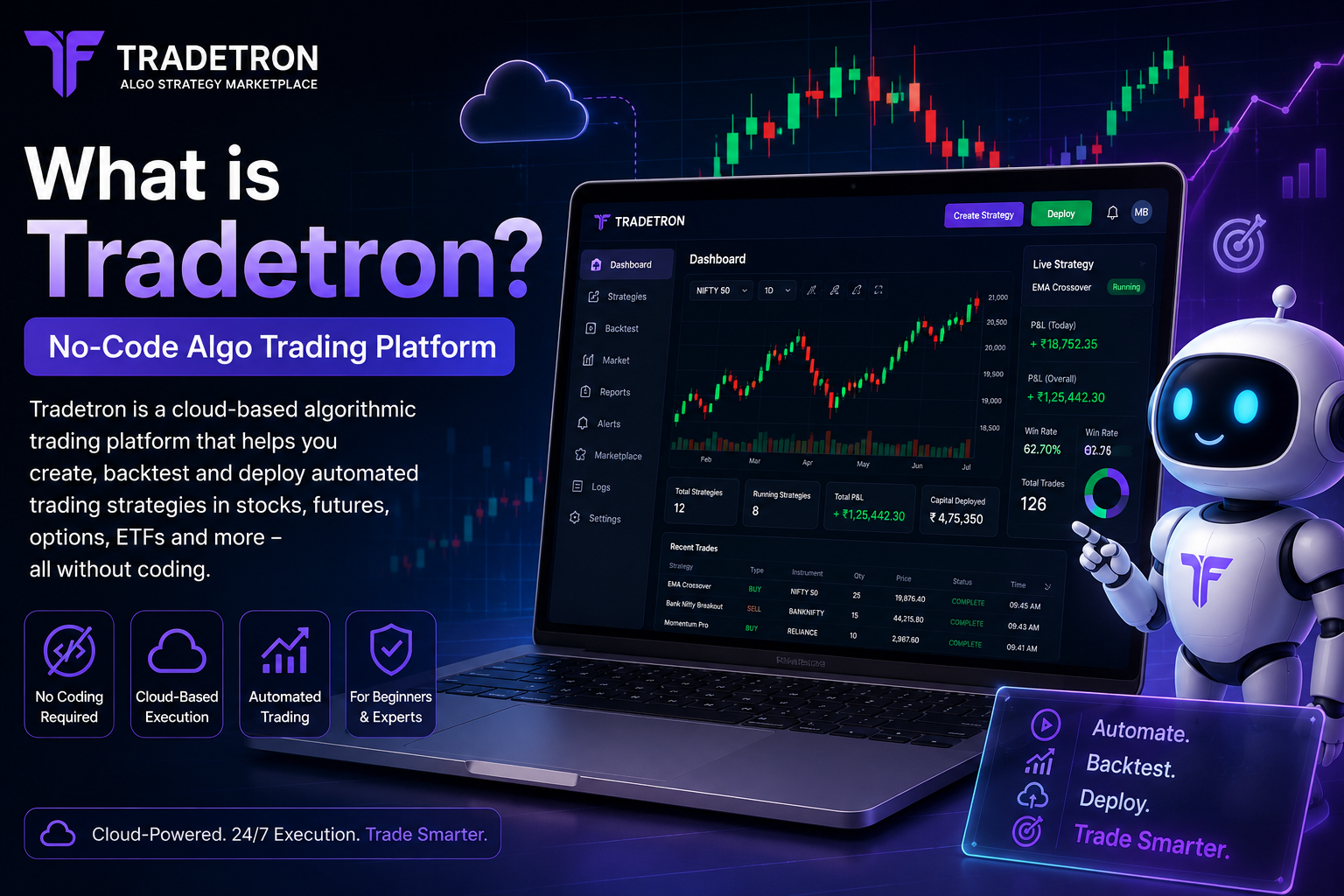
How Tradetron Works
The platform follows a simple workflow:
Step 1: Create a StrategyYou create trading rules using Tradetron's visual strategy builder.Step 2: Connect BrokerConnect your trading account with a supported broker.Tradetron’s broker support has expanded significantly over time.• Tradetron’s help documentation states that users can connect 70+ brokers. •
Tradetron’s FAQ also mentions support for 100+ broker partners through its broker-and-exchange integrations page. Because brokers are added regularly, the exact number may change over time.
Some commonly used Indian brokers on Tradetron include:•
- Zerodha
- Upstox
- Dhan
- paisa
- Alice Blue
- Fyers
- IIFL Securities
- Kotak Securities
- Motilal Oswal
NOTE:-
Best combo algo trading +broker
also supports several international brokers and exchanges.
●Alpaca – US stocks
●Webull – US stocks
●tastytrade – Stocks & options
●TradeStation – Stocks, futures & options
●Tradier – API trading
●TradeZero – US equities
●Delta Exchange – Crypto
●CoinDCX – Crypto
Step 3: Deploy StrategyActivate the strategy.Step 4: Automatic ExecutionTradetron monitors market conditions and places trades automatically.Since everything runs on cloud servers, your computer does not need to stay switched on.Watch this video to know how to connect your trading account to Tradetron Video link or video
Main Features of Tradetron
- 1. No Coding Required : One of Tradetron’s biggest advantages is its beginner-friendly no-code strategy builder, making algorithmic trading simple and accessible for everyone.
- 2. Cloud-Based Execution : Your strategies run securely on cloud servers, giving you a worry-free trading experience without keeping your computer switched on all day
3. Strategy Marketplace : Tradetron has a marketplace where strategy creators can publish strategies.Users can subscribe to strategies developed by experienced traders.
4.Backtesting:Backtesting helps traders make confident, data-driven decisions before risking real money.
- 5 Multi-BrokerSupport:Tradetron supports several brokers and allows automated execution through connected accounts.
- 6. Risk Management:Traders can define
- Stop losses•
- Position sizing
- Capital allocation•
Exit rulesRisk management is essential because no strategy wins all the time
.
Advantages & Disadvantages of Tradetron
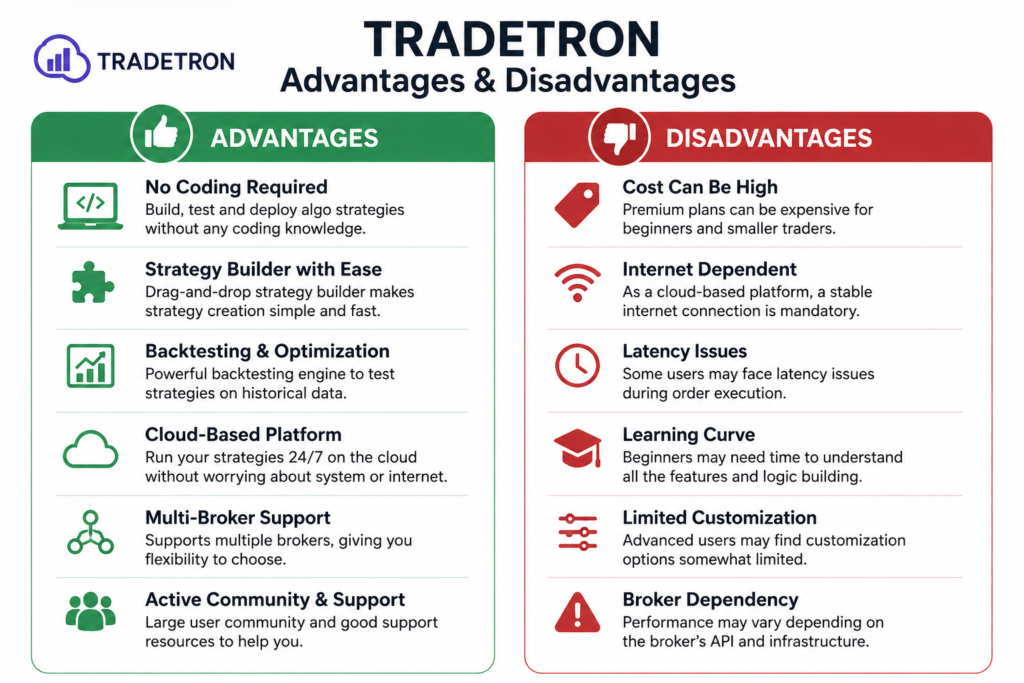
●BIGGEST ADVANTAGE OF ALGO TRADING SOFTWARE TRADETRON IS VERY VERY HELPFUL FOR THOSE WHO SEARCHING TO EARN PART TIME INCOME THROUGH ONLINE .IF YOU HAVE TRADING STRATEGY THEN YOU CAN SETUP YOUR STRATEGY ON TRADETRON, TRADETRON WILL EXCIUTE YOUR TRADE AS PER YOUR STRATEGY JUST YOU NEED TO SET THE STRATEGY. NO NEED TO TOUCH ,NO NEED TO CONTROL OF YOU ,TRADETRON WILL MANAGE AFTER SET
Is Tradetron Good for Nifty ETF Trading?
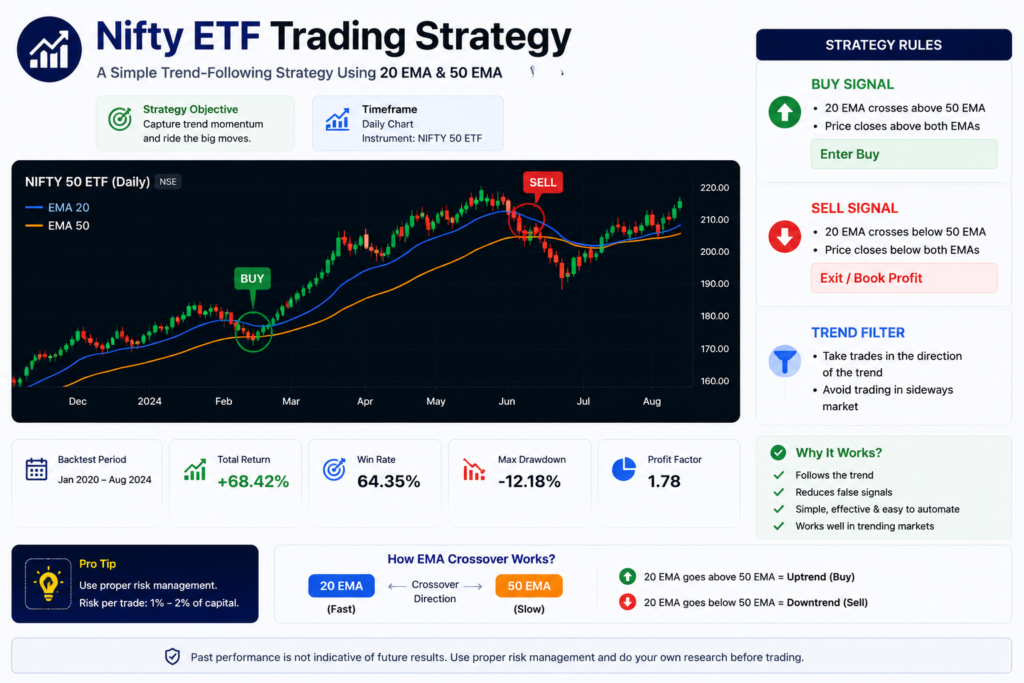
Yes.
Many traders use Tradetron for:
. Nifty ETF strategies
• Swing trading systems
• Trend-following strategies
• Moving average systemsFor traders with smaller capital, ETF-based strategies can often be less stressful than highly leveraged F&O trading.
How To Connect Tradetron With Supported Broker?
To place live trades through Tradetron, you first need to connect your supported broker account. The process is straightforward if your broker is supported by Tradetron.
First, create a Tradetron account. Next, connect your supported broker. After that, create or import a strategy. Finally, test the strategy before using it for live trading.
Step 1: Create Accounts
Before connecting, make sure you have:
●An active Tradetron account.
●An active broker account (such as Angel One).
●API access or the required login credentials, if your broker requires them.
Step 2: Log in to Tradetron
Sign in to your Tradetron account and open the Broker & Exchanges section from your account menu.
Step 3: Add Your Broker
Click Add Broker and choose your broker from the list of supported brokers. Always use support broker which is given above.
Step 4: Enter Broker Details
Enter the required information, such as:
- Client ID or User ID
- API Key (if required)
- API Secret (if required)
- Password or MPIN (if required)
The required fields vary depending on the broker.
Step 5: Save the Connection
Click Save to add your broker account.
Step 6: Generate the Trading Token
Some brokers, including Angel One, require you to generate or refresh a trading token before live trading. Complete this step before the market opens whenever required. Tradetron provides a token generation option from the Broker & Exchanges page. Follow your broker’s instructions for any additional authentication steps.
Step 7: Verify the Connection
Once the connection is successful, your broker account will appear in the Broker & Exchanges section. You can then use it with your trading strategies.
Watch a Video Tutorial
If you prefer a visual guide, search YouTube for:
“Tradetron Angel One Broker Integration“
How to connect tradetron with angleone
Tradetron also provides broker-specific setup guides and videos through its Help Center and documentation.
●Keep your API credentials secure.
●Never share your API keys or passwords with anyone.
●Always test your strategy using paper trading or small positions before trading with significant capital.
●Trading involves market risk.
●Past performance does not guarantee future results.
Conclusion
Tradetron is one of. India’s most trusted and feature-rich no-code algorithmic trading platforms. It offers a powerful, beginner-friendly, and time-saving solution for traders who want to automate their trading strategies. While it cannot guarantee profits, it provides the tools needed to trade with greater discipline and efficiency.

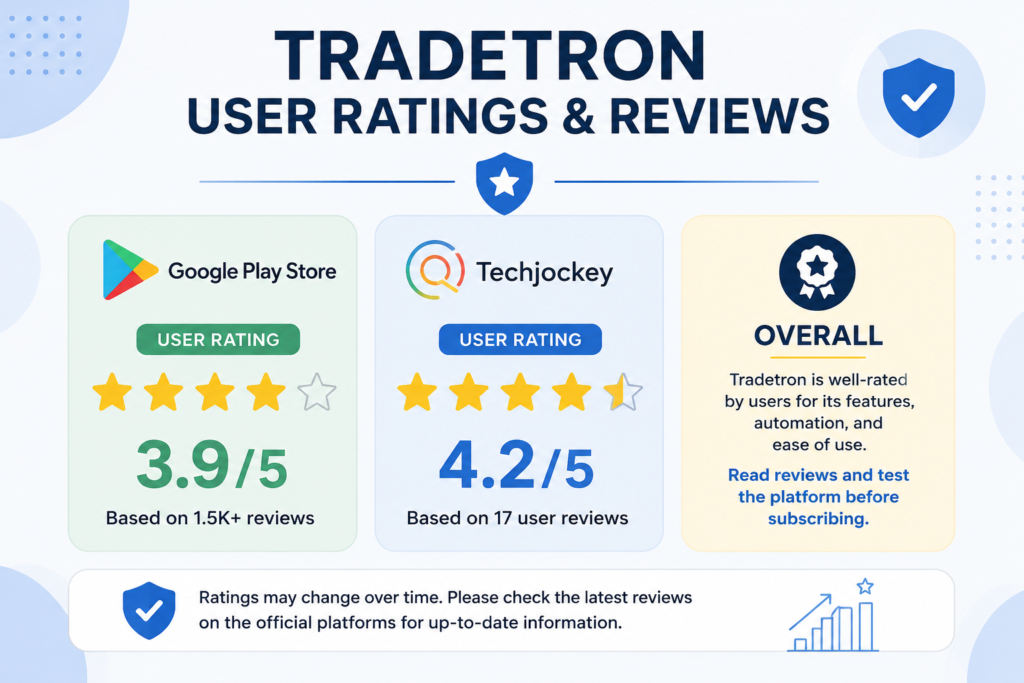
If you are serious. about learning algo trading and managing risk wisely, Tradetron is definitely worth exploring
Is Tradetron Legal In India?
Is Tradetron Free To Use?
Is Tradetron profitable?